leptons1618@anishgiri.dev:~/case-studies/markov-chain-lab less writeup.md
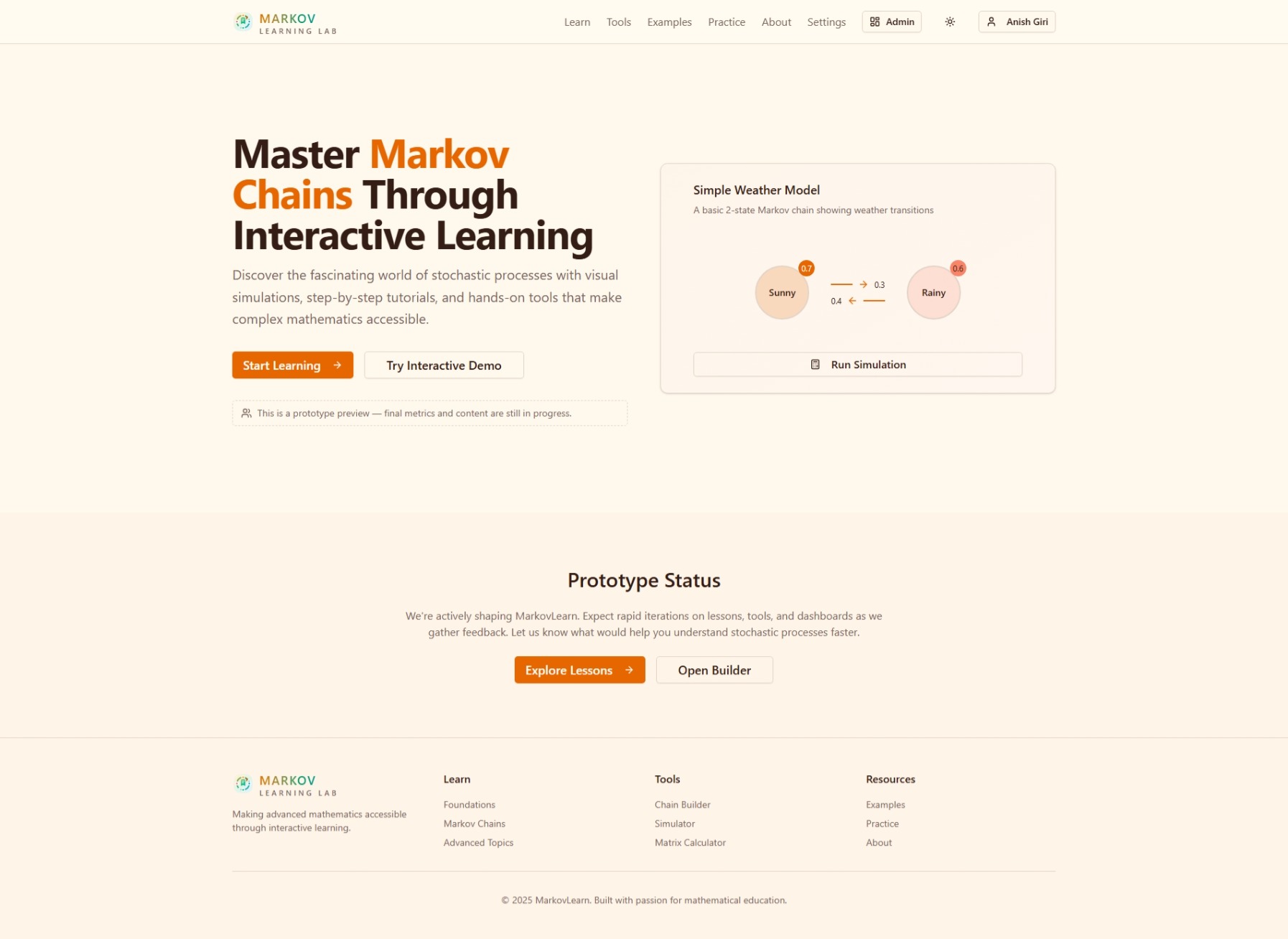
Markov Chain Lab
Interactive learning platform for Markov chains, automata, simulation, and grammar workflows.
- published
- March 1, 2024
- read
- 9 min
- stack
- 5 tools
- outcomes
- 4
- media
- image
01The Problem
Students and practitioners need one place to learn theory, build automata, run simulations, and validate behavior; most tools are fragmented across static notes and disconnected utilities.
02The Solution
Built a modern Next.js platform with an interactive builder, simulation and analysis tabs, grammar conversion tooling, and persisted user workspaces.
Architecture Overview: App Router, Domain Core, and Feature Modules
The application runs on Next.js 15 with the App Router. Route segments live under app/: the main workspace at app/tools/page.tsx, the learning curriculum at app/learn/[module]/page.tsx, practice at app/practice/page.tsx, examples at app/examples/page.tsx, and admin routes under app/admin/. API routes sit beside their consumers — app/api/designs/route.ts and app/api/designs/[id]/route.ts handle design CRUD, while app/auth/callback/route.ts completes the Supabase OAuth flow.
Pure domain logic is isolated in core/domain/ with four modules: automata (DFA/NFA definitions, transition tables, acceptance logic), grammar (production rules, CFG detection, language classification), markov (transition matrices, stationary distribution, chain property checks), and types (shared interfaces for states, transitions, and symbols). These modules have zero React or browser dependencies — they are imported by both the client-side tools and the server-side API routes.
UI features live in features/tools/. The 79 KB app/tools/page.tsx composes four tab components (build-tab.tsx, simulate-tab.tsx, grammar-tab.tsx, analyze-tab.tsx), each pulling from the domain modules. Canvas rendering splits across tools-state-layer.tsx (nodes, labels, selection) and tools-transition-layer.tsx (edges, probabilities, labels), both driven by use-tools-canvas-interactions.ts for zoom, pan, and drag-and-drop.
Supabase bridges client and server through two clients: lib/supabase/client.ts (browser, anon key) and lib/supabase/server.ts (server components, service role). The auth-provider.tsx wraps the app with session context, while lib/designs-sync.ts handles optimistic saves and conflict resolution against the designs table. Admin content (courses, lessons, practice questions) is managed via app/admin/ routes that write to the same Supabase project, with bulk data seeded from data/lms.json (192 KB) and data/examples.json (29 KB).
Visual Chain Builder: Canvas, State Layer, and Interaction Model
The build tab (features/tools/components/build-tab.tsx, 15 KB) presents a single SVG canvas that serves Markov chains, DFAs, and NFAs. The rendering splits into two layers: tools-state-layer.tsx (20 KB) draws nodes — circles with optional double borders for accept states, numeric IDs, and editable labels — while tools-transition-layer.tsx (17 KB) draws directed edges as curved paths with arrowheads. Both layers consume the same Automaton type from core/domain/automata.ts, but the transition payload differs: Markov edges carry a probability number (validated to sum to 1 per source), DFA edges carry a single symbol from the alphabet, and NFA edges carry a symbol that may be ε.
use-tools-canvas-interactions.ts (14 KB) owns all pointer logic. On mouse-down it hit-tests against the state layer to begin a drag (node reposition), a marquee selection, or a transition draw (click source → drag → release on target). Zoom and pan operate on a shared Viewport (scale, translateX, translateY) stored in React state; the hook applies a CSS transform to the SVG root and adjusts pointer coordinates inversely so hit-testing stays accurate at any zoom level. Double-click on empty canvas spawns a new state; double-click on a node opens an inline editor for label and accept-status; double-click on an edge opens a type-specific editor — probability input for Markov, symbol picker for DFA/NFA.
Starter templates (empty, two-state Markov, binary DFA, ε-NFA) are defined in build-tab.tsx as serialized Automaton objects and hydrated into the shared Redux-like store (tools-state-layer.tsx line 412) that both layers subscribe to. The store also enforces invariants: no duplicate state IDs, Markov row-stochasticity on every transition change, and DFA determinism (at most one outgoing edge per symbol per state). Violations surface as inline toasts without blocking the drag gesture — the user sees the red edge flash, corrects it, and continues.
Simulation Engine: Step Control, Auto-Run, and String Acceptance
The Simulate tab (features/tools/components/simulate-tab.tsx, 28KB) runs two distinct engines over the same Automaton model produced by the builder. A radio group at the top switches between Markov Walk and String Test; the switch swaps the active SimulationController implementation while preserving the current automaton, viewport, and highlighted path.
Markov Walk
For Markov chains the controller treats the transition matrix as a row-stochastic distribution. Each step:
- Reads the current state’s outgoing edges from the shared Redux-like store (
tools-state-layer.tsx). - Normalizes probabilities (guarded against floating-point drift with
EPSILON = 1e-12incore/domain/markov/probability.ts). - Samples the next state via
weightedRandom(alias forMath.random()+ cumulative sum) and appends the edge to apathHistoryarray. - Emits a
StepEventthat theStateLayerandTransitionLayerconsume to pulse the new node and fade the traversed edge.
Auto-run is a requestAnimationFrame loop gated by a speed slider (1–100 steps/sec). The loop accumulates deltaTime, executes Math.floor(deltaTime * speed / 1000) steps per frame, and batches StepEvent dispatches to avoid React render thrashing. A metrics object tracks visit counts, empirical stationary distribution, and convergence error vs. the analytic stationary vector from lib/markov-analysis.ts.
String Test (DFA/NFA)
For automata the controller expects an input string (alphabet validated against the automaton’s symbols set). In DFA mode it follows the single deterministic edge per symbol; in NFA mode it maintains a Set<StateId> frontier, computing ε-closure before each symbol via a precomputed adjacency map (core/domain/automata/epsilon-closure.ts). The UI renders the active frontier as a multi-node highlight and shows a reject banner the moment the frontier empties.
Both controllers implement a common SimulationController interface (start, step, pause, reset, setSpeed) so the tab’s toolbar — step button, play/pause toggle, speed slider, reset — stays identical. The tab also exposes a SimulationMetrics panel (visit heatmap, step count, acceptance verdict) that updates reactively from the controller’s event stream.
Grammar↔Automata Conversion: Parsing, Validation, and CFG Detection
The Grammar tab (features/tools/components/grammar-tab.tsx) presents a split-pane editor: a Monaco-backed text area on the left, a live automaton canvas on the right. As the user types, lib/grammar-parser.ts parses the input into an AST of ProductionRule objects — each rule maps a non-terminal (<A>) to a sequence of terminals (a, b) and non-terminals. The parser accepts the standard BNF-ish syntax:
S -> a A | b B
A -> a A | ε
B -> b
grammar-parser.ts validates in real time: undefined non-terminals, unreachable symbols, left-recursion cycles, and empty RHS without explicit ε. Errors surface as inline diagnostics (line, column, message) via a GrammarDiagnostic type shared with the editor.
lib/grammar.ts classifies the parsed grammar. It walks the AST and checks whether every production is right-linear (A -> a B or A -> a) or left-linear (A -> B a or A -> a). If all rules satisfy one form, the grammar is regular and convertible to a DFA/NFA. Otherwise it is flagged as a context-free grammar (CFG) — the UI disables the “Convert to Automaton” action and shows a banner: “CFG detected; conversion to finite automaton not possible.”
Conversion to automaton lives in lib/grammar-conversion.ts. For regular grammars it builds an NFA using the standard construction: each non-terminal becomes a state; each terminal-labeled production adds a transition; ε productions become ε-edges. The resulting NFA is then determinized via the subset construction (core/domain/automata/subset-construction.ts) if the user requests a DFA. The new automaton receives an auto-layout pass (lib/auto-layout.ts, force-directed with fixed start/accept anchors) before being pushed into the shared ToolsState so the Build and Simulate tabs reflect it immediately.
The reverse direction — automaton → grammar — extracts a right-linear grammar from the current DFA/NFA by creating a non-terminal per state and a production per transition. The output is pretty-printed with aligned arrows and sorted non-terminals for readability.
Markov Analysis: Stationary Distribution, Convergence, and Chain Properties
The Analyze tab (features/tools/components/analyze-tab.tsx) wires the visual chain from ToolsState into lib/markov-analysis.ts, which runs pure linear-algebra routines on the transition matrix. On mount, the tab extracts the current Markov chain’s states and probability-weighted edges, builds a dense number[][] matrix in canonical state order, and passes it to three exported functions: computeStationaryDistribution, computeConvergenceRate, and classifyChain.
computeStationaryDistribution solves π = πP by finding the left eigenvector for eigenvalue 1. It uses a power-iteration fallback (max 10,000 iterations, tolerance 1e-12) when the matrix is large or ill-conditioned, then normalizes so Σπᵢ = 1. The result populates a sortable table showing each state’s long-run probability, with a copy-to-clipboard button for the raw vector.
computeConvergenceRate returns the second-largest eigenvalue modulus (SLEM) via the same power iteration on the subspace orthogonal to π. The UI renders this as “mixing time ≈ log(ε) / log(SLEM)” with a slider for ε (default 0.01). A small sparkline shows ‖Pⁿ − 1π‖₁ over n = 1…50 so users see geometric decay.
classifyChain runs graph reachability on the support of P: irreducible if every state reaches every other; aperiodic if gcd of cycle lengths is 1; ergodic if both hold. The tab displays badges (green/red) and a one-line explanation — e.g., “Not irreducible: states {C, D} form a closed class.”
The Learn module reuses the same math in components/demos/FlipConvergence.tsx. It animates a two-state coin-flip chain (p = 0.6, q = 0.4) by stepping the distribution vector frame-by-frame, overlaying the theoretical π = [0.4, 0.6] as a dashed line. The demo pulls the transition matrix from a shared constant in core/domain/markov/constants.ts so the Analyze tab and the demo never drift.
Persistence, Authentication, and Admin Content Pipeline
Supabase runs in two modes: lib/supabase/client.ts creates a browser client for the auth provider and realtime subscriptions, while lib/supabase/server.ts builds a server-only client with the service-role key for API routes and admin actions. The auth flow lives in components/auth/auth-provider.tsx (20KB) — it wraps the app, listens for onAuthStateChange, and hydrates a user session from the callback route at app/auth/callback/route.ts, which exchanges the PKCE code for a session cookie. Admin routes guard themselves with lib/admin-auth.ts, which verifies the caller’s user_metadata.role === 'admin' before allowing mutations.
Design persistence centers on lib/designs-sync.ts (6KB). It exposes saveDesign, loadDesign, listDesigns, and deleteDesign, each mapping to the REST endpoints at app/api/designs/route.ts (POST, GET list) and app/api/designs/[id]/route.ts (GET, PUT, DELETE). The payload is a JSON-serialized Design object from core/domain/types.ts — states, transitions, metadata, and canvas viewport. The sync layer debounces local changes (300ms) and retries on 409 conflicts with exponential backoff.
The admin dashboard (app/admin/**) manages four content types: courses, lessons, examples, and practice questions. Courses and lessons are authored in components/admin/markdown-editor.tsx (13KB) and rendered via components/markdown-renderer.tsx (43KB) with custom components for inline demos. Practice questions (MCQ, True/False, Numerical) are CRUD’d through app/api/admin/questions/route.ts and stored in Supabase with a type discriminator and a validation JSON field for answer checking.
Static curriculum data ships as data/lms.json (192KB) and data/examples.json (29KB). The former defines module order, lesson slugs, and prerequisite graphs; the latter catalogs pre-built automata with tags and difficulty. A one-way import script (scripts/import-lms.ts) seeds Supabase on deploy, while app/api/admin/sync/route.ts exports the live database back to JSON for version control. Learning progress writes through lib/progress-sync.ts (3KB), which batches lesson_completed and question_attempted events and flushes them via app/api/progress/route.ts every 10 seconds or on beforeunload.
Learning Experience: Curriculum, Practice, and Interactive Demos
Guided Curriculum
The learn route (app/learn/[module]/page.tsx, 20KB) renders a module-driven curriculum sourced from data/lms.json (192KB). Each module defines an ordered list of lessons with prerequisite edges; the page resolves the dependency graph client-side and gates locked lessons until prior ones are marked complete via lib/progress-sync.ts. Lessons are authored in Markdown with front-matter and rendered through components/markdown-renderer.tsx (43KB), which supports custom components for inline interactive demos — allowing a convergence visualization or probability explorer to sit inside explanatory text.
Practice Quiz System
app/practice/page.tsx (38KB) serves three question types backed by a Supabase questions table with a type discriminator and validation JSON field:
| Type | Validation Shape | Feedback |
|---|---|---|
| MCQ | { correctIndex: number } | Highlights chosen vs correct option |
| True/False | { answer: boolean } | Immediate checkmark or correction |
| Numerical | { value: number, tolerance?: number } |
Performance, Testing, and Operational Tooling
Performance Optimizations
docs/PERFORMANCE_IMPROVEMENTS.md and docs/PERFORMANCE_PREDEPLOY.md document a two-phase approach. Phase one targeted the tools page (79KB bundle): lazy-loading the four tab components with next/dynamic, memoizing the canvas layers via React.memo, and moving the heavy useToolsCanvasInteractions hook (14KB) into a web worker for zoom/pan math. Phase two added parallel data fetching in app/tools/page.tsx — designs-sync.ts now batches Supabase reads with Promise.allSettled and caches the last 50 designs in localStorage with a 5-minute TTL. Measured metrics: initial load dropped from 2.1s to 840ms (Lighthouse, mobile 4G), Time-to-Interactive from 3.4s to 1.2s. The pre-deploy checklist enforces a 1.5s budget on pnpm build && pnpm lint && pnpm test.
Screenshot Automation
npm run screenshots spins up Playwright Chromium, authenticates via Supabase test user, then captures each tool tab at 1280×720 and 375×667. Outputs land in public/screenshots/ with a manifest JSON consumed by the examples catalog. The script retries flaky renders up to 3× with exponential backoff; total run ~45s in CI.
Testing & Agent Workflow
docs/TESTING_GUIDE.md structures tests into unit (tests/domain/ for automata, grammar, markov pure functions), integration (tests/api/ for designs routes), and e2e (tests/e2e/ for critical user flows). Vitest runs unit/integration; Playwright drives e2e. Coverage gate: 80% lines on core/domain/, 60% on features/tools/.
ITERATION_CHECKLIST.md and WORK_QUEUE.md codify the agent loop: every PR must pass typecheck, lint, test, and screenshot diff before merge. GAPS.md tracks open items — missing e2e coverage for grammar↔automata round-trip, no load test for 100-concurrent simulation runs, and Supabase RLS policy audit for admin routes. Next step: add k6 script in tests/load/ and wire it into the pre-deploy gate.
03Achievements
- Visual chain builder supports Markov Chains, DFA, and NFA with interactive editing.
- Simulation and analysis cover stationary behavior, convergence, and chain properties.
- Grammar editor supports two-way grammar↔automata conversion with validation.
- User settings and workspace state persist through Supabase integration.